Biggest S90C OLED Buying Mistakes (And How to Avoid Them)
The Samsung S90C OLED represents a pivotal moment in the evolution of television technology. By combining the infinite contrast ratios of traditional OLED panels with the vibrant color volume and high brightness of Quantum Dots, it has become one of the most sought-after displays for gamers, cinephiles, and general tech enthusiasts alike. However, high-end technology often comes with high-end confusion. Because the S90C occupies a specific middle ground in Samsung’s lineup—sitting between the entry-level OLEDs and the flagship S95 series—prospective buyers frequently stumble into pitfalls that lead to buyer’s remorse or underutilized hardware.
Purchasing a television of this caliber is an investment in your home entertainment infrastructure for the next five to seven years. Making the wrong choice regarding panel size, room placement, or peripheral pairing can significantly diminish the "wow factor" that Quantum Dot OLED (QD-OLED) is supposed to provide. This article dissects the common mistakes consumers make when purchasing the Samsung S90C and provides a comprehensive roadmap for ensuring you get the most out of this impressive piece of engineering.
Detailed Product Analysis: The QD-OLED Advantage
To understand the buying mistakes, one must first understand what the S90C actually is. Unlike traditional White OLED (WOLED) panels produced by competitors, which use a white subpixel and color filters to create images, the S90C utilizes Quantum Dots to convert blue light into red and green. This architectural difference results in significantly higher color brightness. In real-world terms, when you see a sunset or a neon sign on an S90C, the colors remain saturated even at high brightness levels, whereas traditional OLEDs might look slightly washed out or "white-ish" in those same bright highlights.
The S90C features a 144Hz refresh rate, making it a favorite for PC gamers, and supports HDR10+, though it notably lacks Dolby Vision—a point of contention for some. Its Neural Quantum Processor 4K is adept at upscaling low-resolution content, which is critical for users who still watch broadcast cable or older DVD collections. The design is incredibly thin, often referred to as "LaserSlim," which makes it an aesthetic centerpiece in any room. However, this thinness is also a source of one of the first buying mistakes: underestimating the fragility and placement requirements of the screen.
Mistake 1: Ignoring the "Panel Lottery" and Size Variations
Perhaps the most significant mistake unique to the S90C is failing to realize that not all S90C units are created equal. In the 83-inch model of the S90C, Samsung utilizes a standard WOLED panel rather than the QD-OLED technology found in the 55, 65, and 77-inch versions. Buyers who choose the 83-inch model expecting the revolutionary color volume of Quantum Dots will be disappointed to find a display that performs more like a standard LG C3 or Sony A80L. While those are excellent TVs, they lack the specific QD-OLED characteristics that define the S90C’s reputation.
Additionally, there is the "second-generation panel" debate. Early production units of the S90C 55 and 65-inch models occasionally used first-generation QD-OLED panels, while later units and almost all 77-inch units used the vastly improved second-generation panels (the same ones found in the flagship S95C). The second-gen panels are more durable against burn-in and are more efficient. Failing to verify the panel type or opting for the 83-inch version without knowing the tech shift is a primary error in the buying process.
Mistake 2: Poor Room Lighting Assessment
A common misconception is that all OLEDs are "dark" and only suitable for "bat caves." While the S90C is much brighter than OLEDs from five years ago, it still faces challenges in rooms with uncontrolled direct sunlight. Many buyers place the S90C directly opposite a large, southern-facing window. Because QD-OLED panels lack a traditional polarizer, deep blacks can sometimes take on a slightly raised, "purplish" or greyish tint when hit with direct ambient light.
Discover deals on TVs & Home Theater — updated daily.
View Offers →To avoid this, buyers must assess their environment. If you cannot control the light in your room with curtains or blinds, or if the TV will be hit by direct afternoon sun, the S90C’s black levels—its greatest strength—will be compromised. Placing this TV in an environment where it cannot manifest its perfect blacks is a waste of the technology’s potential.
Pros and Cons of the S90C OLED
- Pro: Exceptional Color Brightness – Thanks to the lack of a white subpixel, red, green, and blue colors are remarkably vivid even in bright scenes.
- Pro: Gaming Feature Set – With four HDMI 2.1 ports, 144Hz support, and Freesat/G-Sync compatibility, it is arguably the best gaming TV in its price bracket.
- Pro: Wide Viewing Angles – QD-OLED maintains color accuracy and brightness even when viewed from extreme side angles, perfect for wide sectional seating.
- Pro: Price-to-Performance Ratio – It often retails for significantly less than its flagship sibling, the S95C, while providing 90-95% of the same performance.
- Con: Lack of Dolby Vision – Samsung continues to favor HDR10+, meaning you won't get the specific dynamic metadata tuning found on most Netflix and Disney+ content.
- Con: Tizen OS Interface – The smart TV interface can be cluttered and occasionally sluggish compared to dedicated streaming sticks or competitors' OS.
- Con: Fragile Build – The panel is so thin that it is susceptible to bending during unboxing or mounting if not handled with extreme care.
- Con: Raised Black Levels in Light – As mentioned, the lack of a polarizer causes blacks to look slightly grey in very bright rooms.
S90C vs. Competitors Comparison Table
| Feature | Samsung S90C | LG C3 OLED | Sony A80L OLED |
|---|---|---|---|
| Panel Type | QD-OLED (55, 65, 77) | WOLED (Evo) | WOLED |
| Peak Brightness | Higher (~1000-1100 nits) | Moderate (~800 nits) | Moderate (~700 nits) |
| Color Volume | Excellent (Quantum Dot) | Good | Good (Processing focused) |
| HDMI 2.1 Ports | 4 Ports (All 48Gbps) | 4 Ports (All 48Gbps) | 2 Ports (plus 2 2.0 ports) |
| Refresh Rate | 144Hz | 120Hz | 120Hz |
| HDR Formats | HDR10, HLG, HDR10+ | HDR10, HLG, Dolby Vision | HDR10, HLG, Dolby Vision |
Mistake 3: Underestimating the Need for Sound Reform
Thin TVs have thin speakers. This is a physical reality that no amount of digital signal processing can fully overcome. A frequent mistake S90C buyers make is spending their entire budget on the display and neglecting the audio. While the S90C has "Object Tracking Sound Lite," the audio lacks the low-end punch and mid-range clarity required to match the cinematic visuals. Pairs of high-quality bookshelf speakers or a dedicated Dolby Atmos soundbar system are virtually mandatory to avoid a "disconnect" between the massive, vibrant image and the small, tinny sound.
Mistake 4: Relying on "Vivid Mode" Out of the Box
Samsung TVs are famous (or infamous) for their aggressive "Vivid" or "Standard" picture modes. Many buyers set up their S90C, see the eye-popping brightness of the default mode, and never touch the settings again. This is a mistake. The default modes often "crush" shadow detail and oversaturate skin tones to an unnatural degree. To truly see what the S90C is capable of, users should switch to "Filmmaker Mode" or "Movie Mode." These modes offer the most accurate color temperature (D65) and ensure you are seeing the content exactly as the director intended. Staying in Vivid mode is like buying a high-end camera and only ever shooting in "Auto" with a heavy filter; you lose the nuance that you paid for.
Buying Guide: How to Buy the S90C Correctly
When you are ready to move forward with the S90C, follow these steps to ensure you aren't one of the customers making the mistakes listed above. These guidelines help align the purchase with your specific lifestyle needs.
Step 1: Size and Distance Calculation
Because the S90C is 4K and has exceptional clarity, you can sit closer than you think. A common mistake is buying a 55-inch model for a room where a 65 or 77-inch would fit. For an immersive experience, a 65-inch S90C is ideal for a viewing distance of 6 to 9 feet. If you are sitting 10 feet or further away, the 77-inch model is highly recommended. Avoid the 83-inch model unless you specifically prefer the WOLED look or need the size more than the Quantum Dot benefits.
Step 2: Check for Version/Firmware Updates
Upon receiving the unit, the first thing any buyer should do is update the firmware. Samsung frequently releases updates that stabilize the Tizen OS and, in some cases, have fine-tuned the HDR tone mapping. Additionally, check the build date on the back of the TV. Units manufactured later in the product cycle have a higher probability of containing the improved second-generation panel materials, which offer better longevity.
Looking for the best TVs & Home Theater deals on Amazon?
See Deals →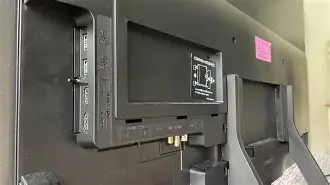
Step 3: Plan Your Cables
Don't reuse old HDMI cables from your previous 1080p TV. To use the S90C’s 144Hz refresh rate or 4K/120Hz functionality for gaming, you need "Ultra High Speed" 48Gbps HDMI cables. Using inferior cables can lead to "blackouts," flickering, or an inability to enable HDR. This is a small cost that many buyers overlook, leading to hours of unnecessary troubleshooting.
Step 4: Professional or Advanced Calibration
While Filmmaker Mode is great, the S90C supports "Smart Calibration" via a compatible smartphone. By using the SmartThings app and your phone’s camera, the TV can perform a basic color calibration that adjusts for the specific lighting conditions of your room. It takes about 10 minutes and is a free way to avoid the mistake of poor color accuracy.
Real-World Use Cases
To put this into perspective, let’s look at two different buyers. Buyer A lives in a high-rise condo with floor-to-ceiling windows and buys an 83-inch S90C. They are likely to be disappointed. The 83-inch WOLED panel isn’t quite bright enough to fight the daytime glare, and the lack of a polarizer makes the screen look greyish. They also didn't buy a soundbar, so the audio is lost in the large, echoey room.
Buyer B buys a 77-inch S90C for their basement media room. They sit 9 feet away. They immediately switch to Filmmaker Mode, connect a PlayStation 5 using a high-quality HDMI 2.1 cable, and pair the TV with a 5.1.2 channel sound system. Buyer B experiences one of the best home theater setups currently possible. The "perfect" blacks of the OLED shine in the dark room, the 77-inch panel (guaranteed to be 2nd gen) provides incredible HDR highlights, and the gaming is fluid at 120Hz. The difference between these two scenarios is not the TV itself, but the avoidance of common buying and setup mistakes.
Conclusion
The Samsung S90C OLED is a masterclass in display technology, offering some of the most vibrant and contrast-heavy images ever seen in a consumer product. However, as we have explored, the "S90C" label covers a range of experiences depending on the size you choose, the room you place it in, and the settings you apply. By avoiding the allure of the 83-inch WOLED panel if you want QD-OLED, managing your ambient light, and ensuring your peripheral audio and cabling are up to snuff, you can ensure that your purchase remains a source of visual delight for years to come. The goal is not just to buy a great TV, but to create a viewing environment where that TV can actually perform at its peak.